
Managing Your Timezone Settings
HelpSite lets you control how dates and times appear in your account so they always match your location.
Why it’s useful
Edit and creation times display in your own local timezone.
Notifications and requests show consistent times across your team.
Each team member can set their own preference.
How to set your timezone
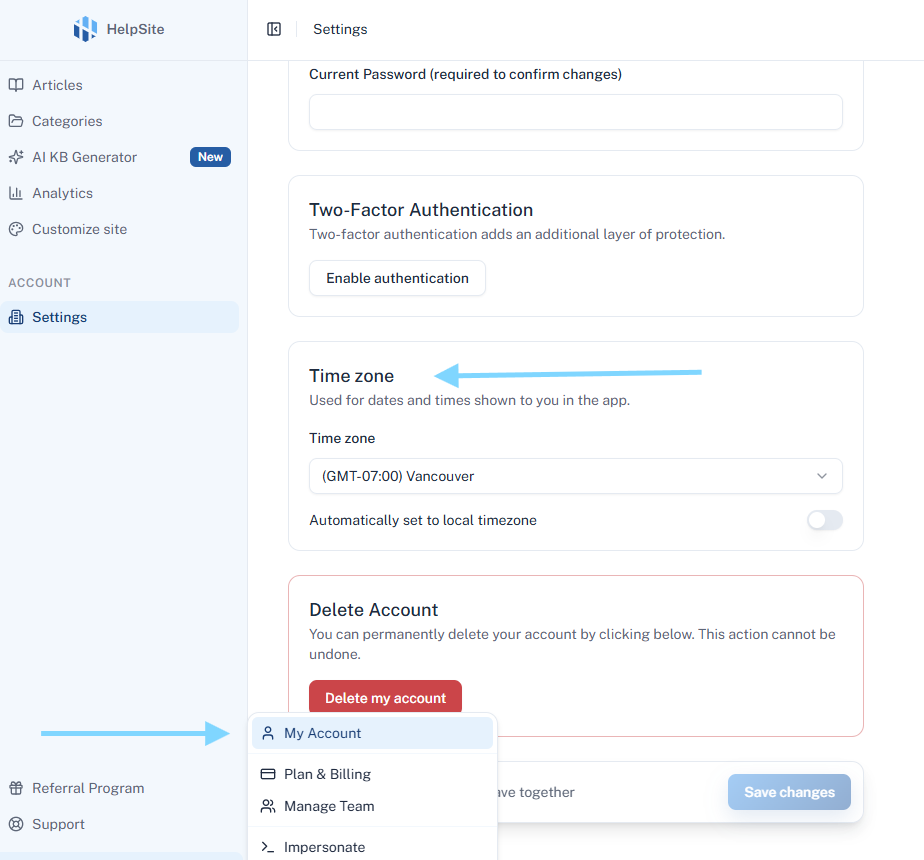
Go to Settings in the top menu.
Scroll to the Timezone section.
-
Choose one of two options:
Automatic detection – Detects your timezone from your device.
Manual selection – Pick your timezone from the dropdown list.
Click Save to confirm.
Tips
If you travel or change locations, switch to automatic detection so times update automatically.
Team members can each set their own timezone preference.