
Article Feedback Ratings
Article Feedback Ratings allows visitors to quickly indicate whether an article was helpful using a simple thumbs up or thumbs down option.
This feature helps teams better understand content performance and identify articles that may need improvement.
How It Works
At the bottom of every published article, visitors will see:
👍 Thumbs Up
👎 Thumbs Down
Users can select one option to provide quick feedback about the article. Votes are anonymous and do not require a login.
Feature Highlights
With Article Feedback Ratings, you can:
Collect quick feedback from visitors
See which articles are performing well
Identify content that may need updates
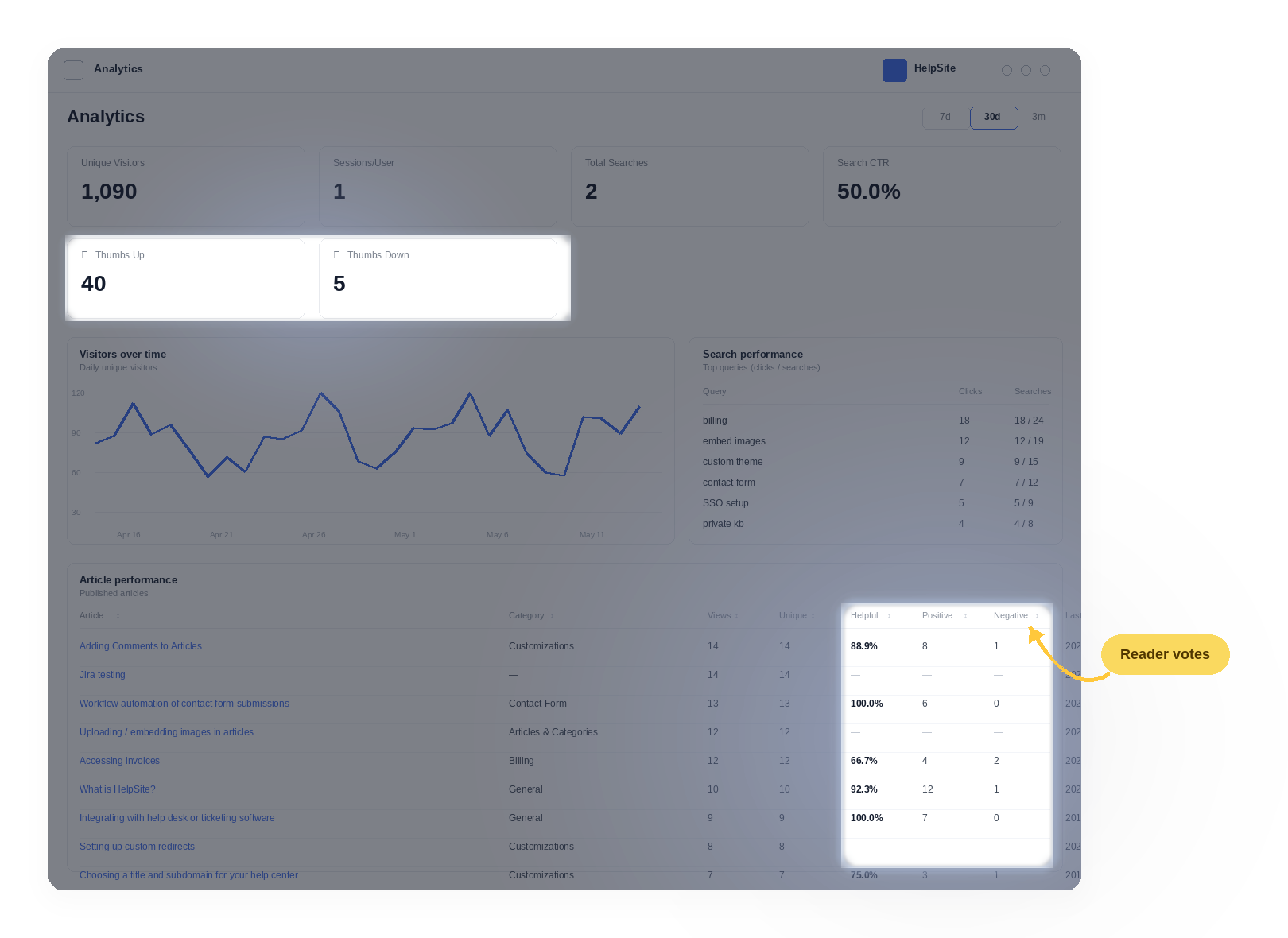
Track helpful vs. unhelpful votes in analytics
Voting Behavior
Visitors can vote once per article per session/device
Users can change their vote later if needed
Votes persist after article updates
Analytics Reporting
Article rating data is available in your analytics reporting, including:
Helpful vs. unhelpful counts
This helps admins measure knowledge base effectiveness over time.
Enable or Disable the Feature
Article Feedback Ratings are turned on by default for published articles. Admins can choose to disable the feature at any time from their HelpSite settings.
Frequently Asked Questions
Are votes anonymous? Yes. Visitors can submit feedback without logging in.
Can users vote multiple times? Users are limited to one vote per article per session/device.
Can users change their vote? Yes. Users can switch between thumbs up and thumbs down.
Do ratings reset after editing an article? No. Ratings remain associated with the article even after updates.