
User Permissions & Roles for Team Members
Paid HelpSite accounts can invite additional user accounts so multiple team members can collaborate on a knowledge base, or so you can invite users to have read-only access to view a private knowledge base. Admins can choose what each invited user has access to in your organization's account, by assigning a Role.
Default User Roles
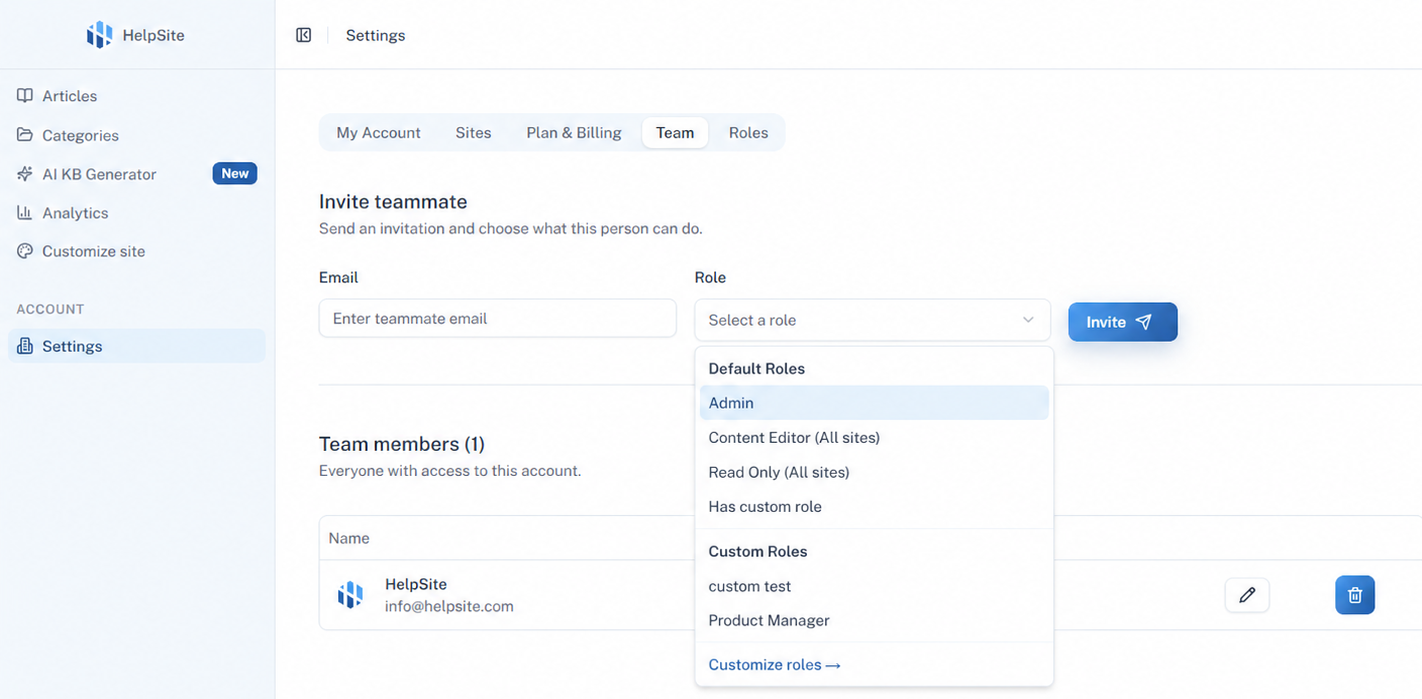
All paid HelpSite plans can invite additional users and assign them to one of 3 default roles:
Admin: Admin users can perform any action in HelpSite. This includes editing articles, site settings, billing settings, add/remove team members, etc.
Content Editor (All sites): Content Editor users can create/edit/delete articles & categories. They can also view the knowledge base site. They cannot change site settings, billing settings, nor invite other teammates.
Note: This default role gives a user Content Editor access for all your sites. If you instead need per-site permissions, see "Custom Roles" below.Read Only (All sites): Read Only users can only view the knowledge base site and cannot view or edit anything in the admin dashboard. This user type only makes sense if your site is set up as private/internal.
Note: This default role gives a user Read Only access for all your sites. If you instead need per-site permissions, see "Custom Roles" below.
The number of team members you can invite depends on your plan: Starter includes 3, Pro includes 15, and Max includes unlimited team members.
Managing Users
To add or manage users in your account, click your name in the top right and then "Manage Sites", then click the "Team" tab:
Custom Roles
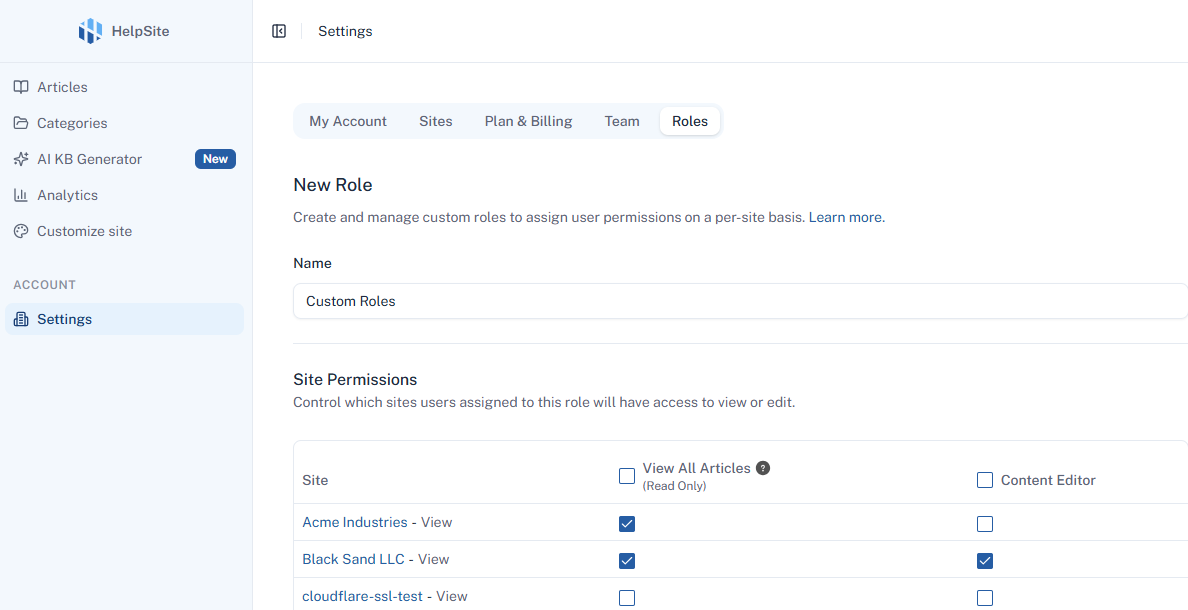
Custom Roles allow you to define per-site permissions, which is useful if you have multiple sites. This feature is available on the Max plan.
For example, Custom Roles allow you to give Read Only access to a specific private site to one set of users, give a different set of users Read Only access to a different private site, and give a third set of users Content Editor access to one of the sites.
Then you can assign your custom role to a new or existing user:
Get in touch if you have any trouble or questions.