
Review AI Chatbot conversations
Every conversation visitors have with your AI Chatbot is saved under Analytics > AI Chatbot. You can read each question, the answer the chatbot gave, the articles it cited and what visitors thought of it.
Not every plan includes the AI Chatbot. On a plan without it, this tab shows sample data. See Pricing.
How do I read chatbot conversations?
- In the sidebar, click Analytics, then the AI Chatbot tab. You can also click View conversations on Customize site > AI Chatbot.
- Choose a date range: 7 days, 30 days or 90 days.
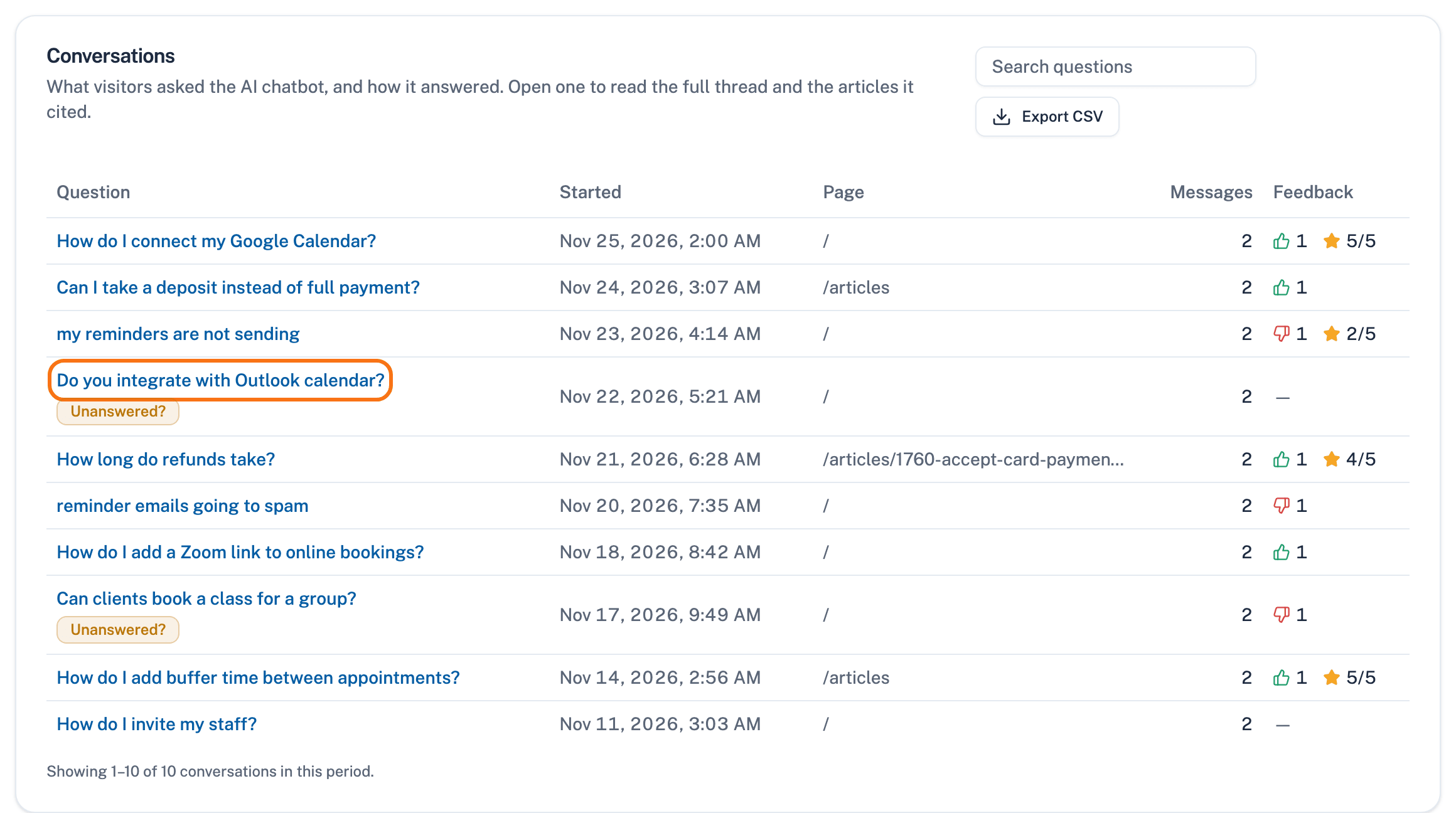
- Under Conversations, find a conversation. Use Search questions to look for a word.
- Click the question to open the full conversation.
The conversation shows every message, the articles each answer cited (or No articles cited), and the visitor's survey answers if they took the survey.
What does the Conversations table show?
- Question: the visitor's first question. Unanswered? means the last answer cited no article, so the chatbot may not have found an answer.
- Started: when the conversation began.
- Page: the help center page the visitor was on.
- Messages: how many messages were sent.
- Feedback: thumbs up, thumbs down and the survey score.
What else is on the AI Chatbot tab?
- Rates for the period: Helpful rate, Feedback rate, Survey rate, Average score and Resolved rate.
- Ratings over time: helpful and not-helpful ratings per day.
- Articles needing attention: articles the chatbot cited in answers that got two or more thumbs down.
- Recent not-helpful answers: the latest answers visitors rated down.
How do I use this to improve my help center?
Start with questions marked Unanswered? and the Articles needing attention list. Write an article for a question nobody has answered yet, or fix the article behind an unhelpful answer. If an article exists but the chatbot didn't use it, see Why can't the AI Chatbot find my article?.
Visitors don't sign in to the chatbot, so conversations don't show who asked.