
Change your plan or billing period
You change your HelpSite plan, or switch between monthly and annual billing, on the Plan & Billing tab in Settings. HelpSite has three plans: Starter, Pro and Max.
What does each plan cost?
Plan |
Monthly billing |
Annual billing |
|---|---|---|
Starter |
$49 a month |
$490 a year |
Pro |
$99 a month |
$990 a year |
Max |
$199 a month |
$1,990 a year |
Annual billing is two months free: you pay for ten months and get twelve. On the Annual tab, each plan card shows the monthly equivalent next to the monthly price, struck through.
What does each plan include?
Limit |
Starter |
Pro |
Max |
|---|---|---|---|
Team members |
3 |
15 |
Unlimited |
Knowledge bases (sites) |
2 |
5 |
25 |
Articles |
Unlimited |
Unlimited |
Unlimited |
AI drafting |
50 articles a month |
250 articles a month |
1,000 articles a month |
Each plan card on Plan & Billing lists its features. For the full comparison, see Pricing.
How do I change my plan?
In the sidebar, click Settings, then the Plan & Billing tab. You can also click your name at the bottom of the sidebar and select Plan & Billing.
At the top of the page, click Monthly or Annual.
-
On the plan you want, click its button. It reads Upgrade to and the plan name for a higher plan, or Downgrade for a lower one.
Read the summary in the confirmation dialog. It shows what you're charged today, any credit for the unused time on your current plan, and when the new plan renews and at what price.
Click Confirm, or Not now to keep your current plan.
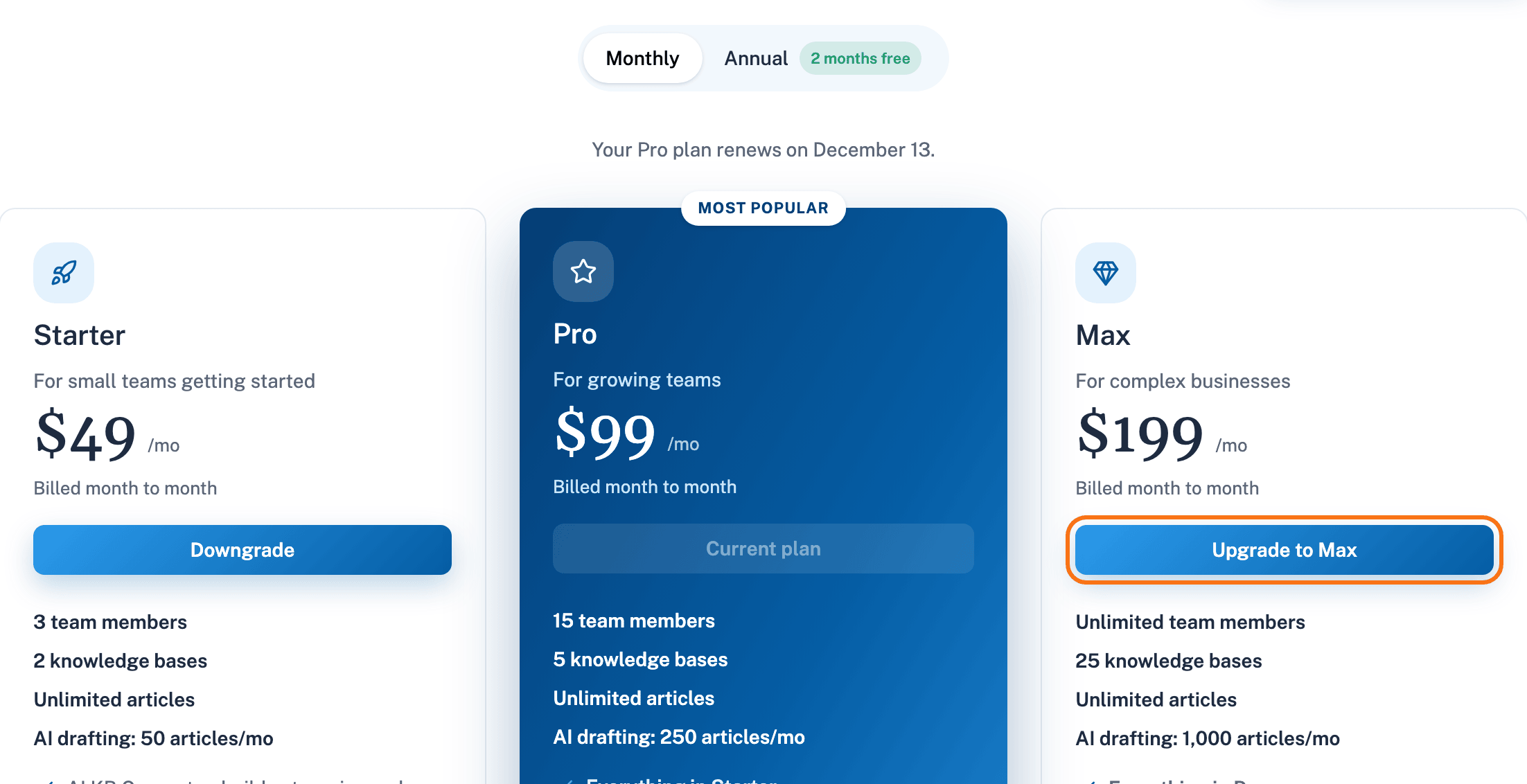
The change takes effect straight away. A message confirms the plan you're on, and its card now shows Current plan.
How do I switch between monthly and annual billing?
Go to Settings > Plan & Billing.
Click Annual to move to annual billing, or Monthly to move to monthly billing.
On your current plan's card, click Choose and the plan name to move to annual billing, or Downgrade to move from annual to monthly.
Check the summary and click Confirm.
The confirmation dialog shows the charge for the new billing period and the credit for the time left on the old one before anything changes.
Why can't I downgrade?
If your account uses more than a lower plan allows, HelpSite shows an Unable to Downgrade message that lists what's in the way: too many sites, too many team members, or custom roles that the lower plan doesn't include. Remove what's listed, then try again.
To reduce your sites, see Duplicate or delete a site.
To see who counts toward your team limit, see How team members are counted.
How do plan changes work during a free trial?
No card added yet: each plan shows Choose and the plan name, with $0 today and the date of your first charge. Choosing a plan opens Stripe to add your card. You're charged when the trial ends. In the last two days of a trial, choosing a plan charges you that day.
Card already added: click Switch to and the plan name to change plans. Nothing is charged until the trial ends. To start paying now, click Start and your plan name in the note at the top of the page, then Start and pay now.
If your account is on a plan HelpSite no longer sells, a notice at the top of Plan & Billing explains what changes for your plan, and the plan buttons follow it.