
How the contact form works
Every HelpSite help center has a built-in contact form. As visitors type their question, the form shows matching articles, and if none of them help, the visitor sends you a message that arrives by email.
What do visitors see on the contact page?
The contact page is at /contact on your help center, and your theme links to it from every page (the Clarity theme's button says Contact support). The form asks for:
- Topic or question: required, at least 5 characters.
- Details: optional. The Clarity theme labels it Details; older themes say Any other details that might help.
- Full name and Email: both required.
- Image attachments, such as screenshots: optional. Visitors can drag them onto the form or click Choose files.
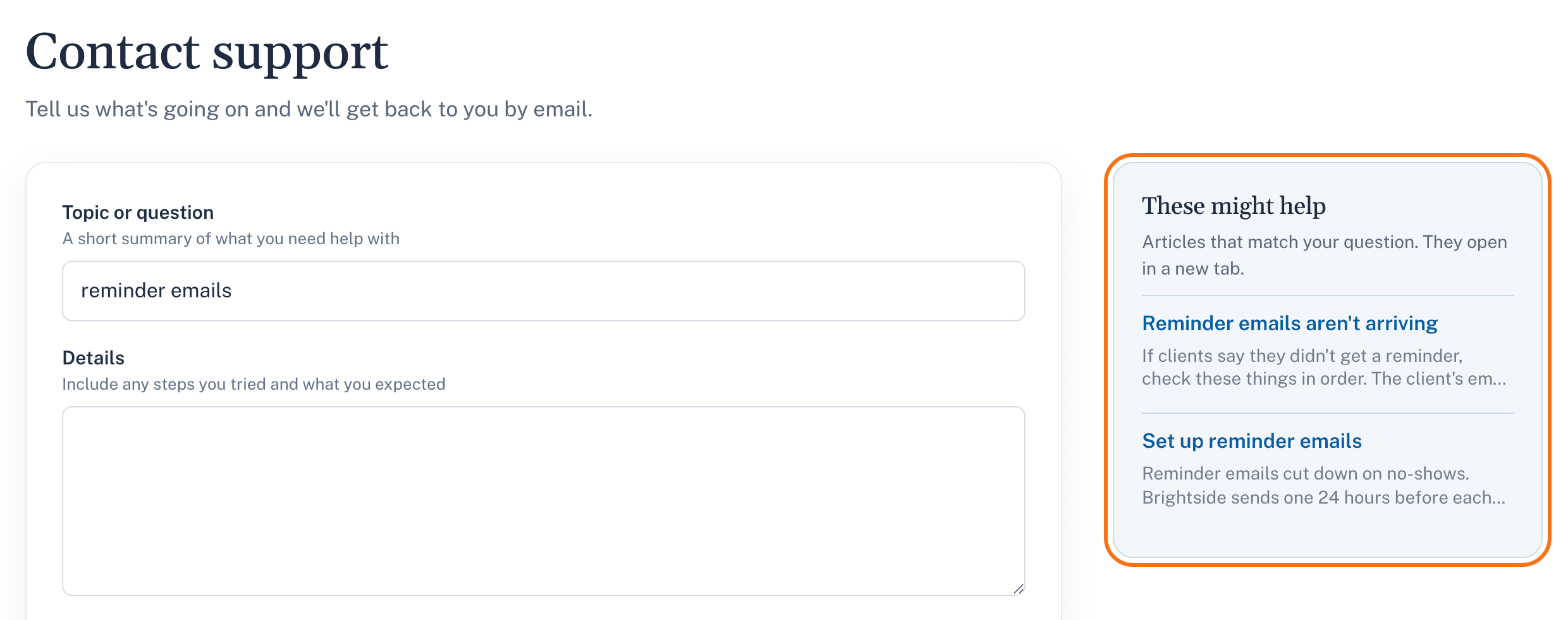
While the visitor types the topic, up to five matching articles appear beside the form. They open in a new tab, so the visitor keeps what they've typed. Visitors who aren't signed in only see public articles there.
Where do contact form messages go?
Each message is emailed to the address in your site's Email address for contact form submissions setting. HelpSite has no inbox or ticket queue of its own, so you read and answer messages in your email or help desk. See Change where contact form messages are sent and Reply to contact form messages.
The email's subject is the visitor's topic. The email holds their message, their name and email address, a link to each attached image, and the page they came from (the referrer). It also holds the visitor's IP address and browser details (user agent) when Include the visitor's IP address and user agent is on.
How do I turn the IP address and user agent on or off?
- In the sidebar, click Customize site.
- Click the Contact Form tab.
- Turn Include the visitor's IP address and user agent on or off.
- Click Save.
The setting is on for new sites. When it's off, submission emails leave out the visitor's IP address and user agent.
How does the contact form block spam?
The form has a hidden field that people never see but bots tend to fill in. Messages that fill it in, or that put a web address in the name field, aren't sent to you. HelpSite also refuses email addresses that can't receive mail and addresses from disposable email services.
How do I turn off the contact form?
- In the sidebar, click Customize site.
- Click the Contact Form tab.
- Turn off Enable contact form.
- Click Save.
The contact link disappears from your help center's theme, and the contact page shows a Page Not Found message instead of the form. If you've added your own contact link in a custom HTML template, remove that link too.