
Use AI Assist to draft an article
AI Assist writes an article draft from text you paste or a file you upload, such as notes, an SOP or a PDF. You give it instructions, and it adds the draft to the article you have open in the editor.
How do I draft an article with AI Assist?
- Open an article in the editor, or click New Article on the Articles list.
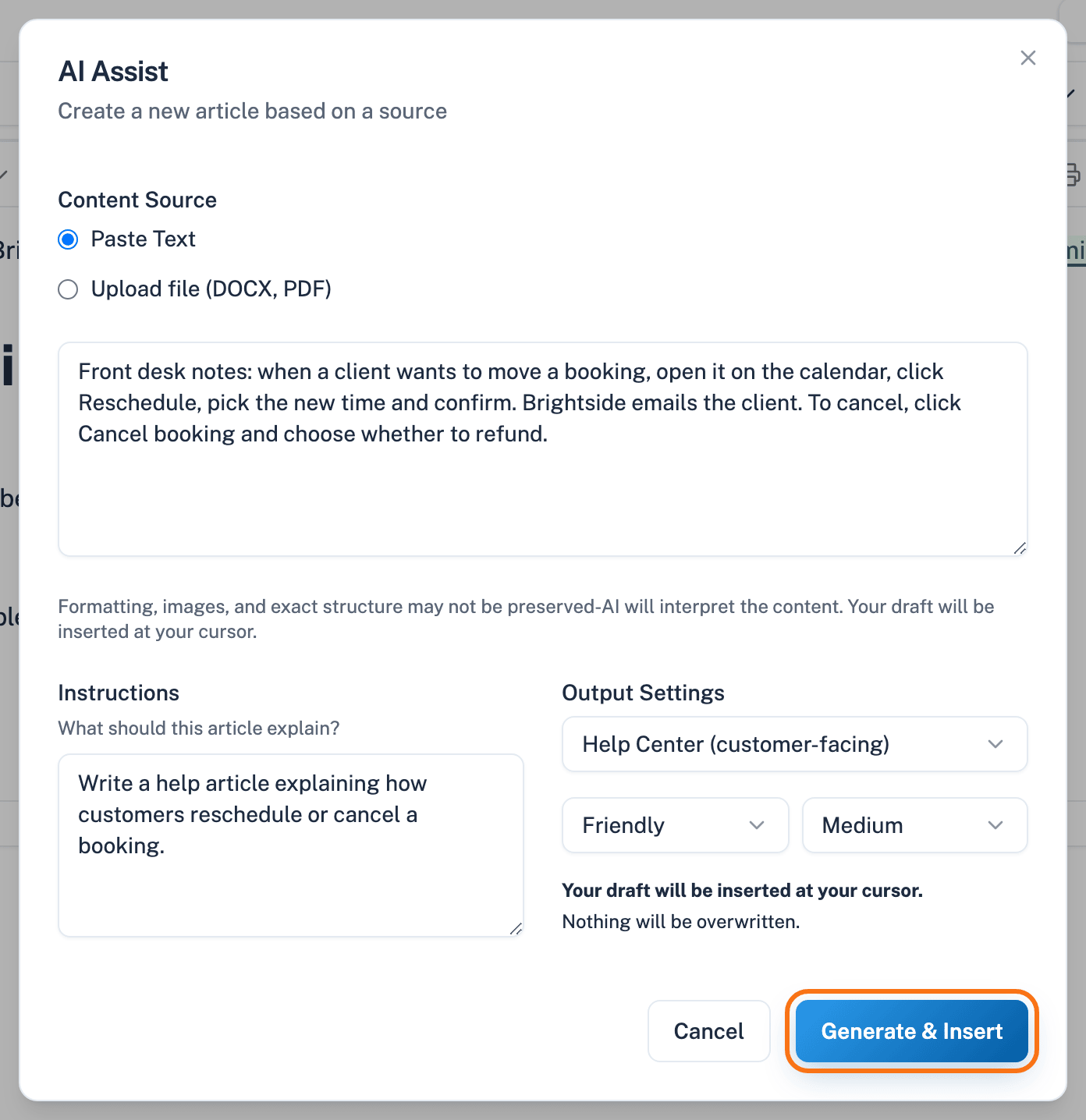
- Above the editor, click AI Assist.
- Under Content Source, select Paste Text and paste your content, or select Upload file (DOCX, PDF) and choose a .docx, .doc or .pdf file.
- In Instructions, say what the article should explain, for example "Write a help article explaining how customers reset their password." Instructions are required.
- Under Output Settings, choose who it's for (Help Center (customer-facing) or Internal documentation), a tone (Friendly, Neutral or Concise) and a length (Short, Medium or Detailed).
- Click Generate & Insert.
When the draft is ready, HelpSite shows Article generated! Review and edit it, then save or publish the article as usual. See Create and publish an article.
Where does the draft go?
- On an empty article, the draft becomes the article's text.
- On an article that already has text, the draft is added to the end as a suggestion labeled AI Assist. Accept the parts you want and reject the rest, as described in Review suggested edits. Nothing already in the article is overwritten.
- In Suggesting mode, the draft becomes part of your own suggestion. See Suggest edits to an article.
What should I write in the instructions?
Say what the article should cover and who will read it. For example:
- "Turn this SOP into a step-by-step internal guide."
- "Create a customer-facing article on changing a delivery address from this documentation."
Does AI Assist keep the source's formatting?
No. AI Assist rewrites the content into an article, so headings and structure may change, and images and links from the source may not come through. Adjust the formatting in the editor afterwards.
Does AI Assist use my AI drafting allowance?
No. The monthly AI drafting allowance only counts articles written by the AI KB Generator. See How the AI drafting allowance works.