
How to Customize Your Help Center's HTML and CSS
To customize your help center's design, go to Customize site > Layout & HTML in your HelpSite admin. From there you can edit the HTML, CSS, and JavaScript used to render your site.
If you ever need to undo changes, click "Restore to Default" to bring back the original layout.

These features are available during the free trial. Beyond that, they require a paid plan. See our pricing page for details.
Common things you can customize:
Design the look and feel of your help site to match your company's brand
Tweak the styling of your logo in the header or footer
Add your own analytics tracking code, like Google Analytics
Change English text to customize wording or translate your site into other languages
Add commenting to articles
Embed a live chat widget like Olark or LiveChat
Change the number of articles shown per category on the home page
... and more
The templates use a language called Liquid. See the Liquid templating guide for reference, or keep reading for examples of how customers have customized their sites. Contact us if you need help!
Customizing CSS
You can use the Layout & HTML feature to completely redesign your site, or just tweak a single detail like a font or color.
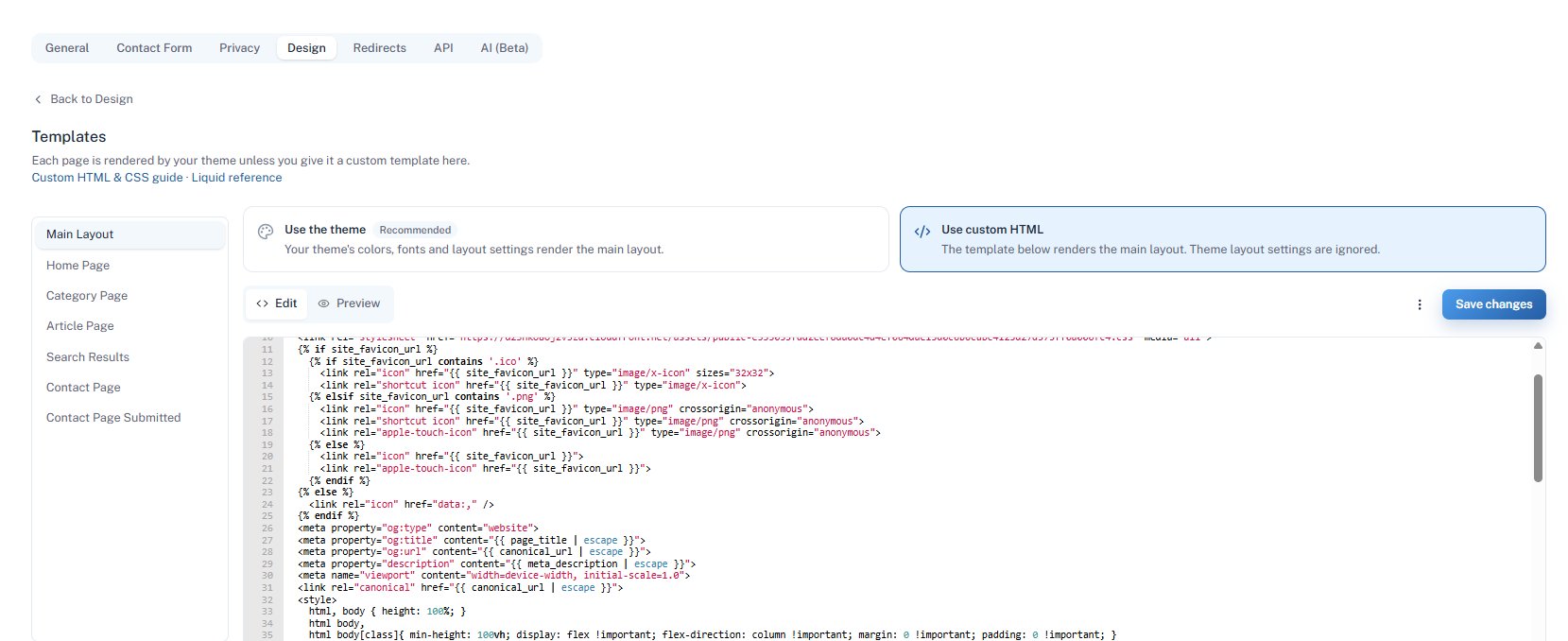
To add custom CSS, insert a <style> tag in the <head> section of your Main Layout, just above the closing </head> tag and after the {{ header_core_css }} tag. The screenshot below shows an example.

If your CSS changes don't seem to take effect, the most common cause is a specificity conflict with our default styles. The quickest fix is to add !important to your rule. Alternatively, make your selector more specific, or place your <style> tag lower in the <head> so it loads after our defaults. You can also link to an external CSS file with a <link rel="stylesheet" type="text/css" href="https://example.com/helpsite.css"> tag.
Use your browser's developer tools (right-click any element and choose Inspect) to view our default CSS selectors and styles.
Customizing default strings
Virtually all of the predefined text in HelpSite can be changed using this feature.
See also Customizing text in the template for tips on specific places.
Customization Examples
Here are a few examples of customers who have customized their knowledge base with HelpSite: